

PDF Archive - Professional document archive
Turn PDF documents into a professional digital archive.
Easily organize, search, and display documents, publications, catalogs, and archived issues right on your WordPress site.
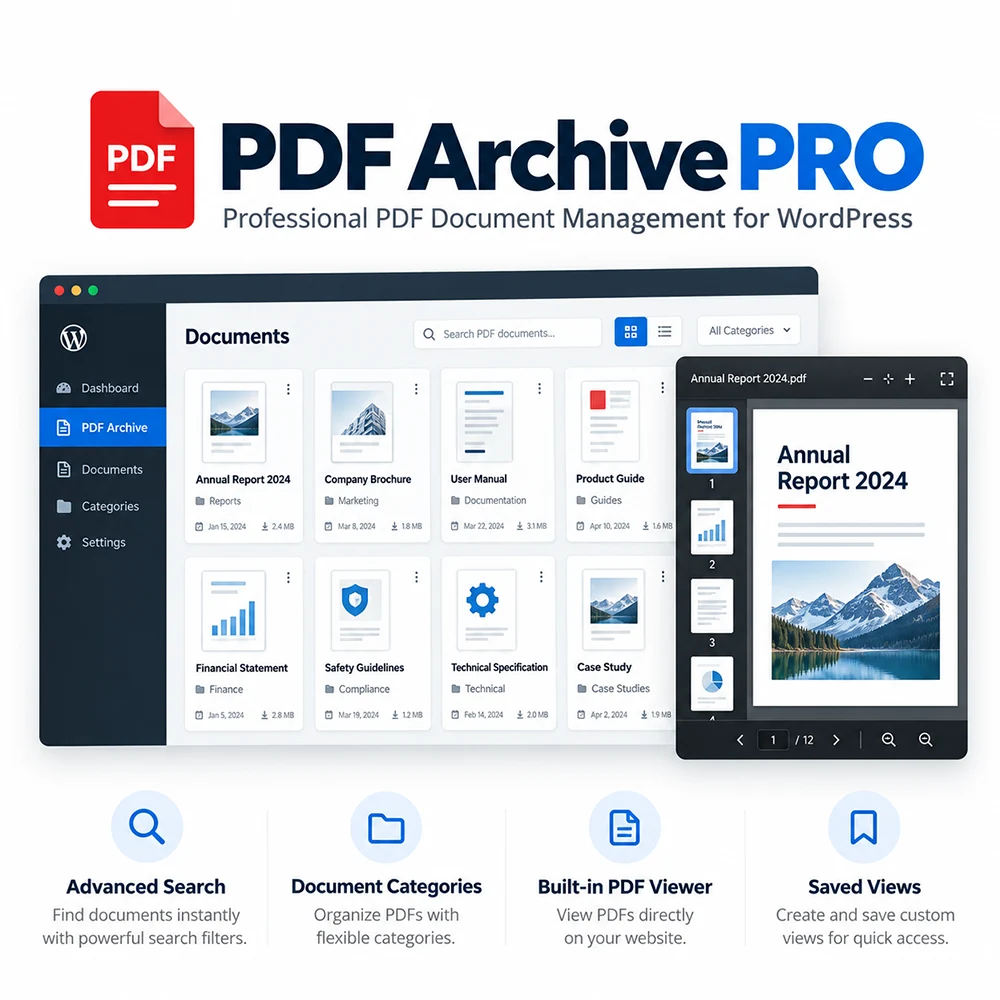
PDF Archive for WordPress - organize, search and view documents in one place
PDF Archive PRO makes it easy to publish, categorize, search, and display PDF documents, publications, magazines, reports, and other digital materials directly on your WordPress website.
Provide your visitors with a well-organized, easy-to-navigate archive featuring advanced filters, document cover images, and a built-in PDF viewer, fully optimized for desktops, tablets, and mobile devices.
All your PDF documents. - One organized archive.
As your collection of PDF documents grows, publishing and finding them becomes increasingly challenging. Documents are scattered across different pages, older publications are difficult to locate, and manually maintaining document lists takes valuable time.
PDF Archive PRO solves these challenges by bringing PDF organization, search, and viewing together in one integrated WordPress solution.
Instead of endless lists of links, you get a centralized digital archive where every document has its own title, document number, date, categories, keywords, and cover image.
The result: simpler content management for website administrators and a significantly more organized, user-friendly experience for visitors.
How does PDF Archive work?
No programming knowledge is required to create and maintain your PDF archive.
Add a PDF Document.
Upload a PDF directly through the WordPress admin dashboard or select an existing file from your Media Library.Organize Your Document.
Enter the title, document number, date, keywords, and one or more categories. Upload a custom cover image or use the automatic cover generation feature.Publish Your Archive.
Use shortcodes to display your complete archive, a searchable document collection, the latest publications, or a predefined collection of documents.Give Visitors Easy Access.
Visitors can quickly find documents using search and filters, open them in the built-in PDF viewer, and read them without leaving your website.
Everything you need for a professional PDF archive
Effortless Document Organization
Each PDF document has its own dedicated entry with relevant information. You can organize documents by categories, years, months, and other available metadata.
A single document can belong to multiple categories, allowing you to organize different publications and collections with greater flexibility.
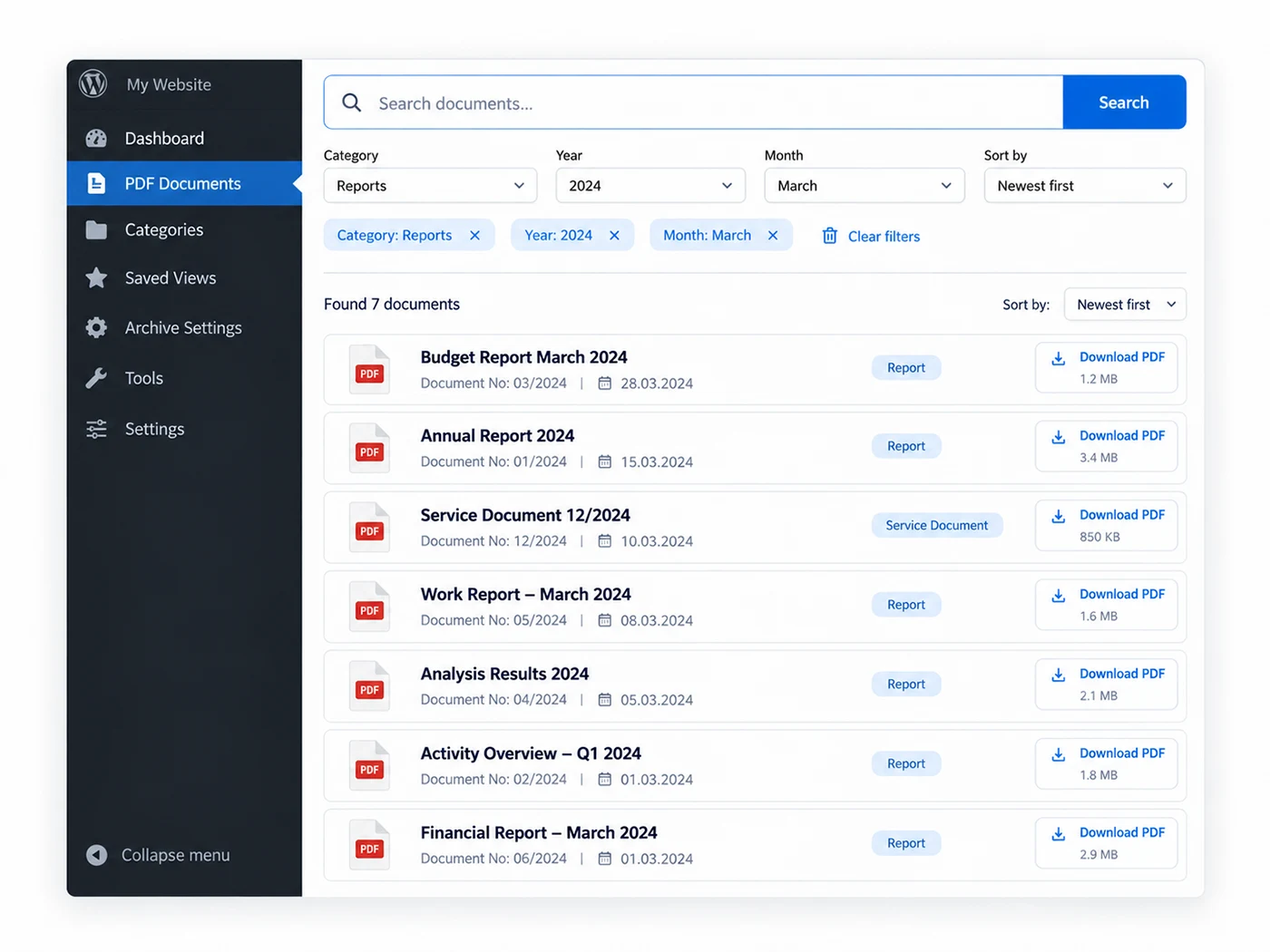
Fast Search and Precise Filters
Help visitors quickly find documents by searching titles, document numbers, keywords, and category names.
Additional filters for categories, years, and months, combined with sorting options, make even large document archives easier to navigate.
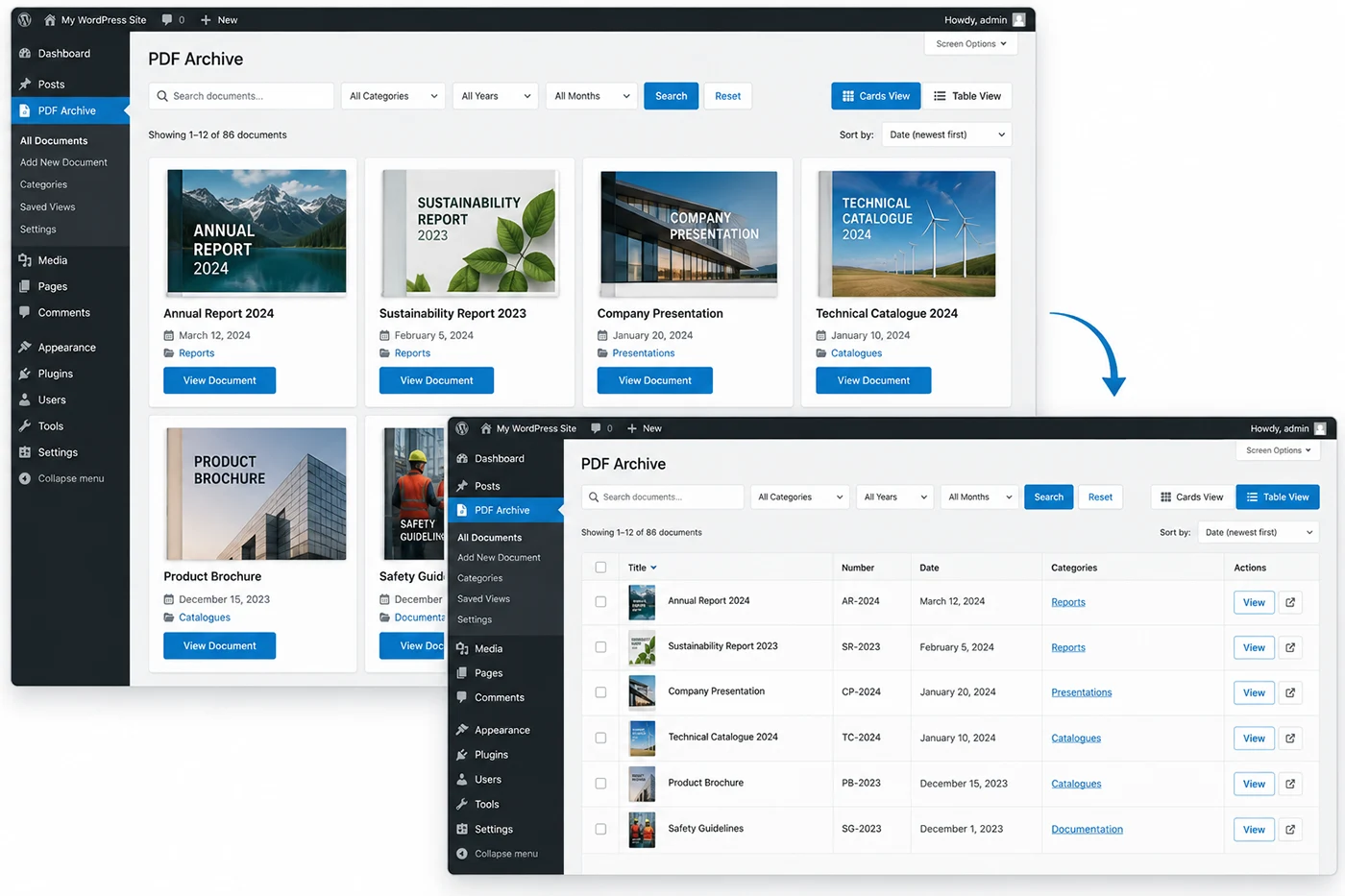
Two Display Options – Cards and Table View
Customize the appearance of your archive to match the type of documents you publish and the needs of your website.
Cards View displays documents as visually organized cards featuring cover images and essential document information.
Table View provides a more compact layout, ideal for official documents, registers, technical documentation, and large collections.
Both display options are fully responsive and optimized for mobile devices. You can also allow visitors to switch between Cards and Table View according to their preferences.
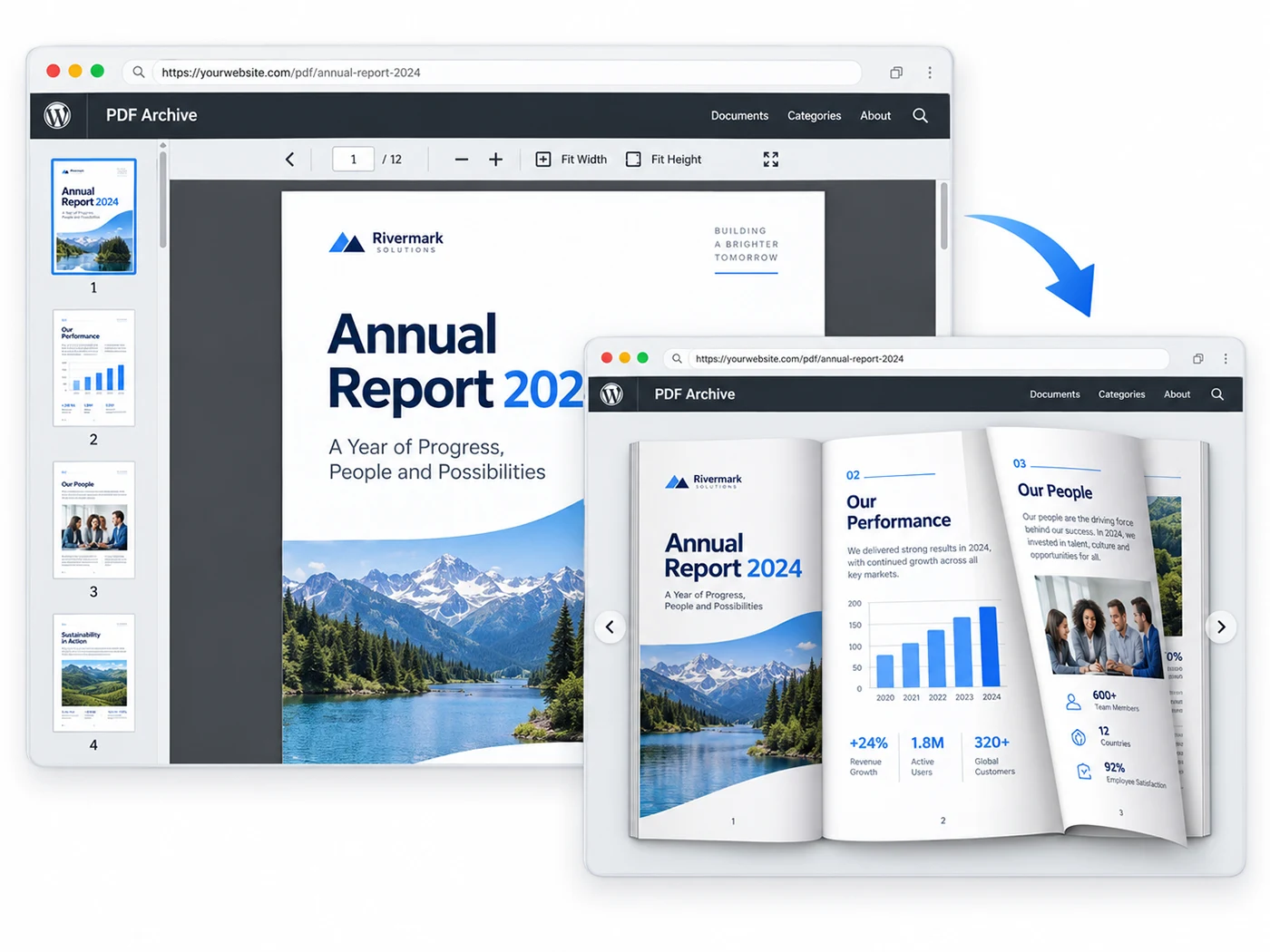
Built-in PDF Viewer and Book View
Visitors can read PDF documents directly on your website.
The built-in PDF viewer supports page navigation, zooming, fit-to-width and fit-to-height options, and fullscreen viewing.
For publications with at least three pages, an optional Book View mode is also available, providing a realistic page-turning effect that simulates reading a book or magazine.
This feature is particularly useful for digital magazines, catalogs, journals, and other multi-page publications.
Professional PDF Document Cover Images
Consistent, high-quality cover images enhance the visual appeal and overall organization of your digital archive.
You can upload your own custom cover image or automatically generate one from the first page of a PDF document, while preserving the original PDF file.
For larger archives, additional administrative tools are available to review and manage automatically generated cover images in bulk.
Saved Views – Dedicated Document Collections
Not every page on your website needs to display the entire archive.
With Saved Views, you can create predefined document collections based on categories and date-related criteria, then display them separately on specific pages of your website.
For example, you can create a dedicated collection of annual reports, an archive of a particular magazine, or a selection of publications from a specific period.
Each Saved View maintains the boundaries of its predefined document collection, ensuring that visitors only see documents included in that collection.
Advanced Archive Management and Data Export
Manage your entire document archive directly from the WordPress admin dashboard.
Take advantage of advanced administrative filters, bulk document management actions, potential duplicate warnings, and built-in archive health monitoring tools.
Export information about all documents or filtered document collections in Excel (XLSX) or CSV format.
One system, different application possibilities
News Portals and Publishers
Organize past issues of newspapers, magazines, and journals by year, month, and category. Allow visitors to easily search, browse, and read digital editions directly on your website.
Public Institutions and Organizations
Publish and systematically organize official decisions, regulations, reports, government publications, and other public PDF documents.
Businesses and Enterprises
Create well-organized collections of reports, catalogs, corporate publications, and technical documentation, making important information easily accessible to website visitors.
Educational and Cultural Institutions
Present digital publications, research materials, academic journals, conference proceedings, and other document collections in a structured, accessible digital archive.
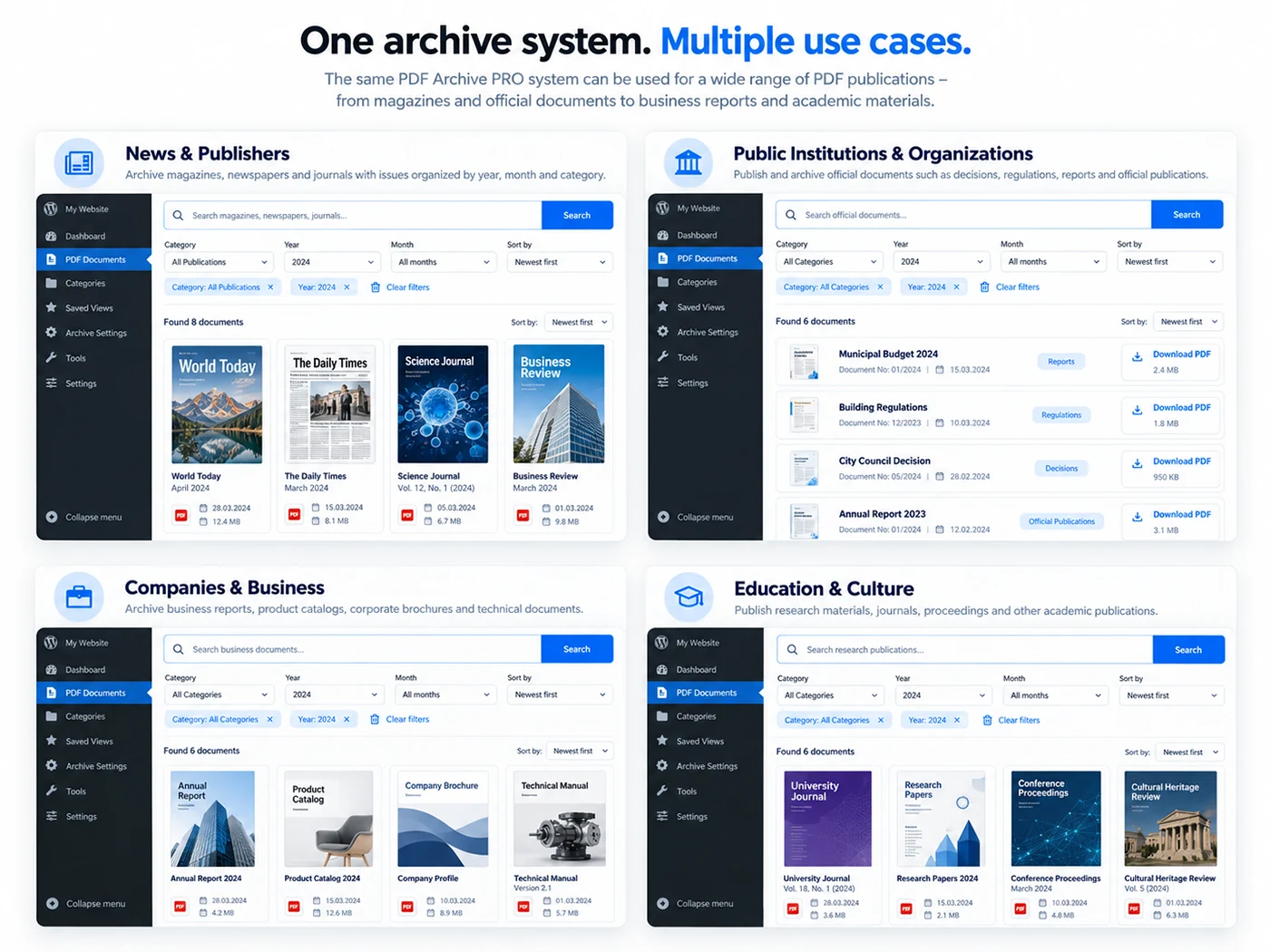
Different ways of displaying the archive
PDF Archive PRO is not limited to a single type of publication. The same system can be adapted to different ways of organizing and presenting PDF documents.