

Studio Digital Product Photo Manager Free
Prepare your WooCommerce product featured images directly in WordPress – with no time limits and no processing limits.
Standardize image dimensions, format, quality, and product size within the frame, use Background Studio for precise positioning, and always retain the option to restore the original image.
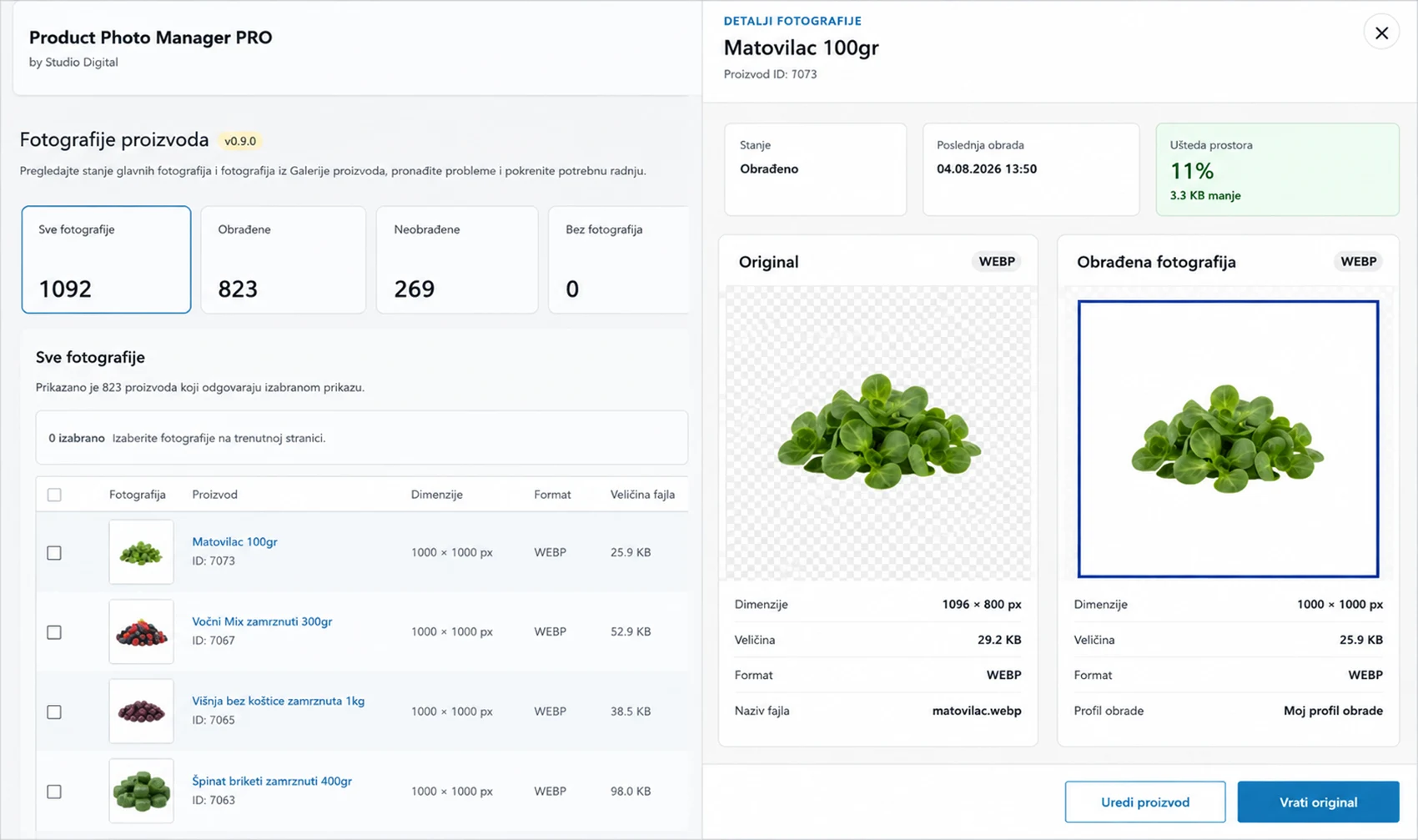

Everything you need for manual featured product image processing
The Free version remains fully functional with no trial period, no credits, and no processing limits. You process images one at a time, directly from the WooCommerce admin area.
- Resize – set the desired width and height of the final image.
- Product fill – control how much space the product occupies on the canvas.
- Output format – standardize the image format.
- Image quality – control the balance between image quality and file size.
- Rename processed photos – optionally use cleaner, more consistent filenames for processed images.
- Restore Original – restore the original image whenever needed.
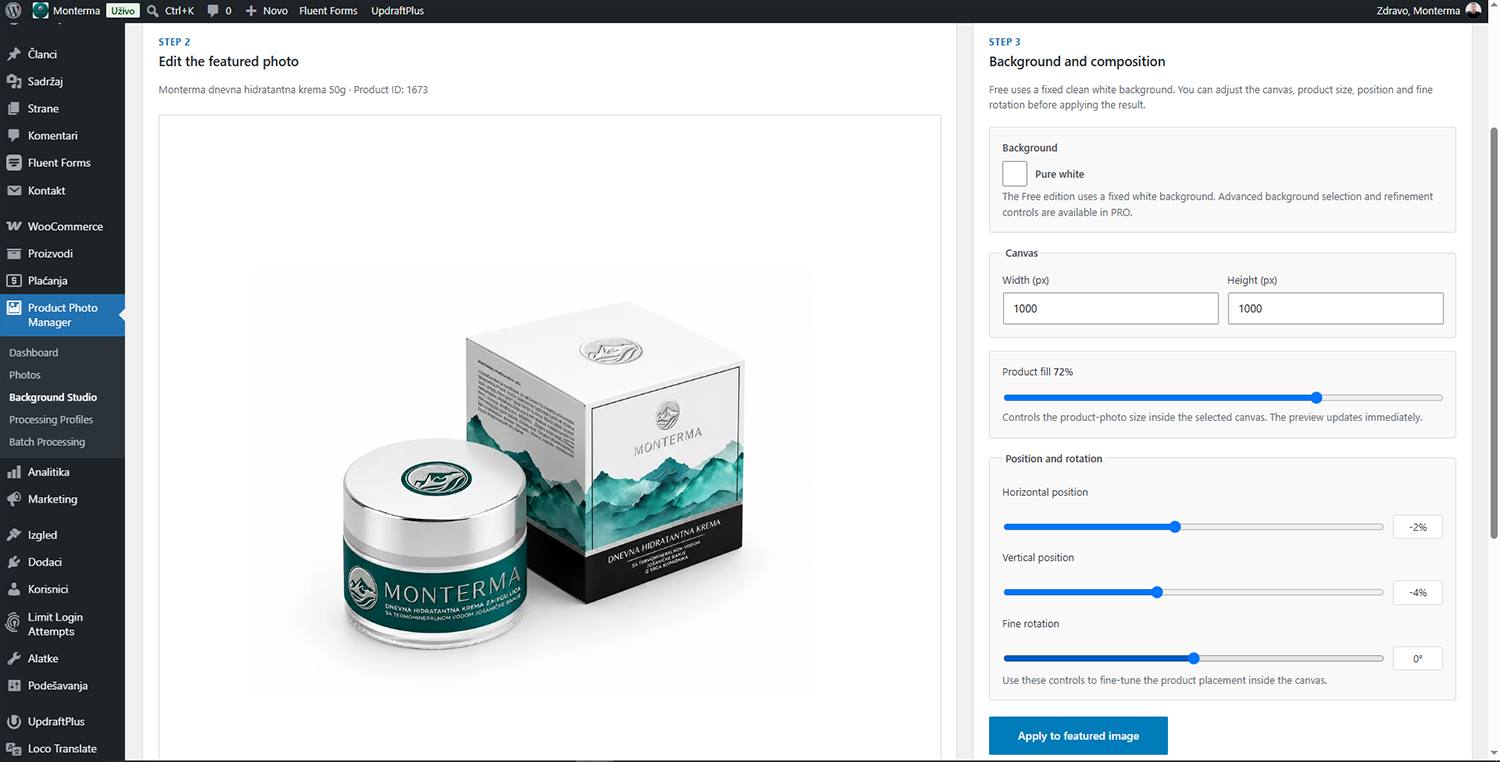
More precise product positioning without leaving WordPress
Background Studio allows you to place the featured product image on a clean white background and precisely adjust the composition before processing.
- change canvas dimensions;
- adjust product size;
- horizontal positioning;
- vertical positioning;
- fine rotation;
- live preview;
- Apply and Restore Original.
FAQ
Is Studio Digital Product Photo Manager Free really free?
Yes. The Free version has no trial period, no processing credits and no time limit.
What images can I process with the Free version?
The Free version is designed for the featured image of a WooCommerce product. Images are processed one product at a time.
Can I restore the original image after processing?
Yes. The plugin keeps the original source image available so you can restore it when needed.
Does the plugin send my product images to an external service?
No. Image processing runs locally on your WordPress server.
What is the difference between Free, Batch 100 and PRO?
Free is for manual featured-image processing. Batch 100 is intended for limited batch processing, while PRO adds the full professional workflow for larger catalogs, galleries and advanced processing.
When the Free version is no longer enough
Free is designed for manually processing the featured image of one product at a time. If you manage a larger catalog, product galleries, or need batch processing and automation, more advanced editions are available.
Free
Manual processing of featured product images.
Batch 100
For occasional batch processing of larger numbers of images, with 100 credits.
Product Photo Manager PRO
For larger catalogs, product galleries, batch workflows, processing profiles, and advanced automation.