WooCommerce Product Image Analysis & Processing Directly in WordPress
Product Photo Manager PRO
A professional WordPress plugin for reviewing, organizing, and bulk-processing product images in WooCommerce stores.
Improve Your Online Store Quickly, Precisely, and Consistently
❌ 1,000 products with 1,000 different image dimensions? ❌ Products with missing images? ❌ Different image backgrounds? ❌ Random file names such as IMG_0021.jpg and a mix of WebP and PNG formats? ❌ Large files making your site load slowly? ❌ No time to process images one by one?
It’s time to bring order to your WooCommerce store. Process all your product images so your online store looks polished and professional. Save valuable time and money.
Full Control Over Your WooCommerce Product Images
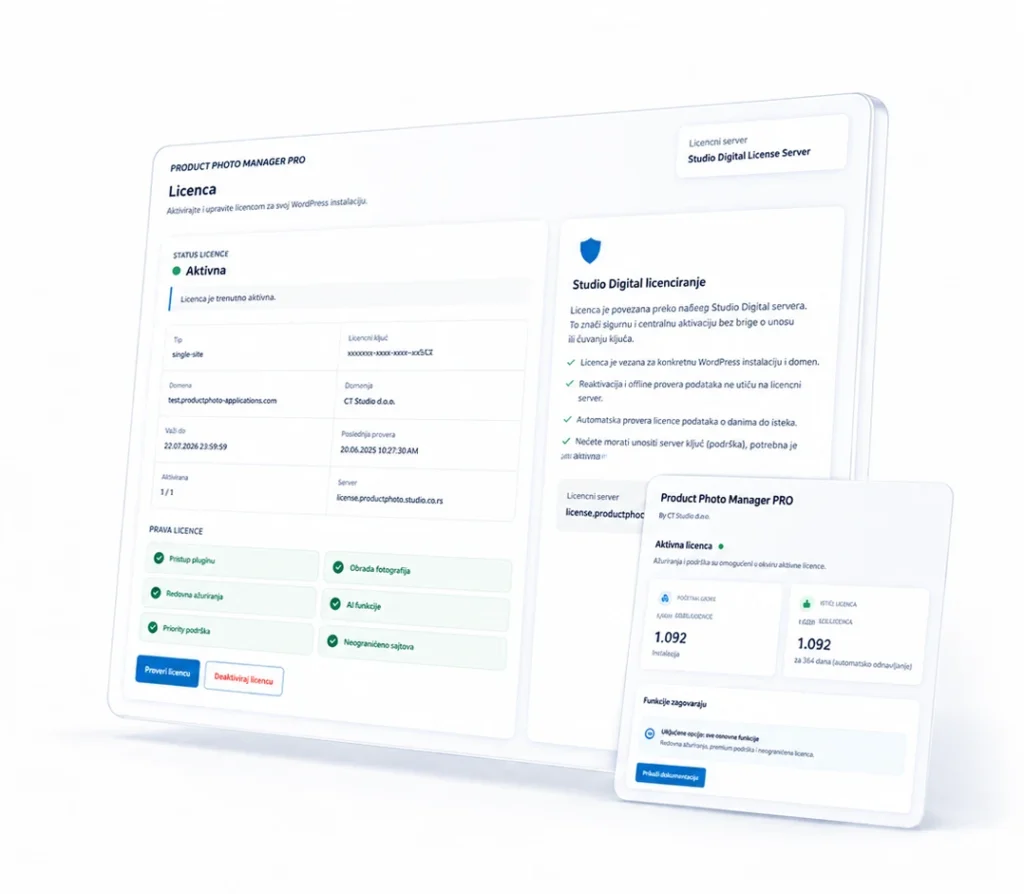
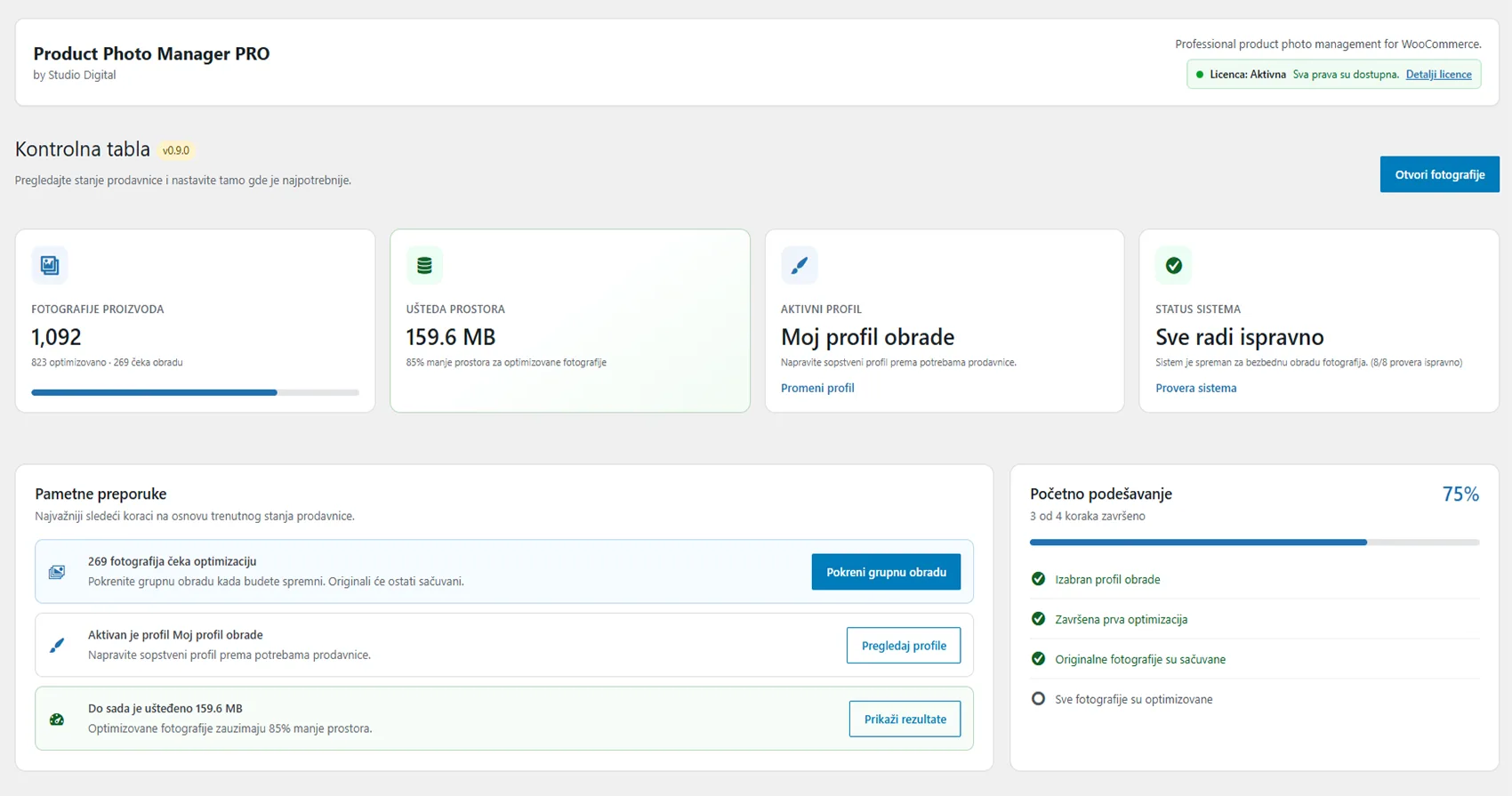
Product Photo Manager PRO brings product overview, image analysis, and bulk operations together in one WordPress administration interface. It is designed for stores and administrators who need a faster and more reliable way to work with large product catalogs.
Review
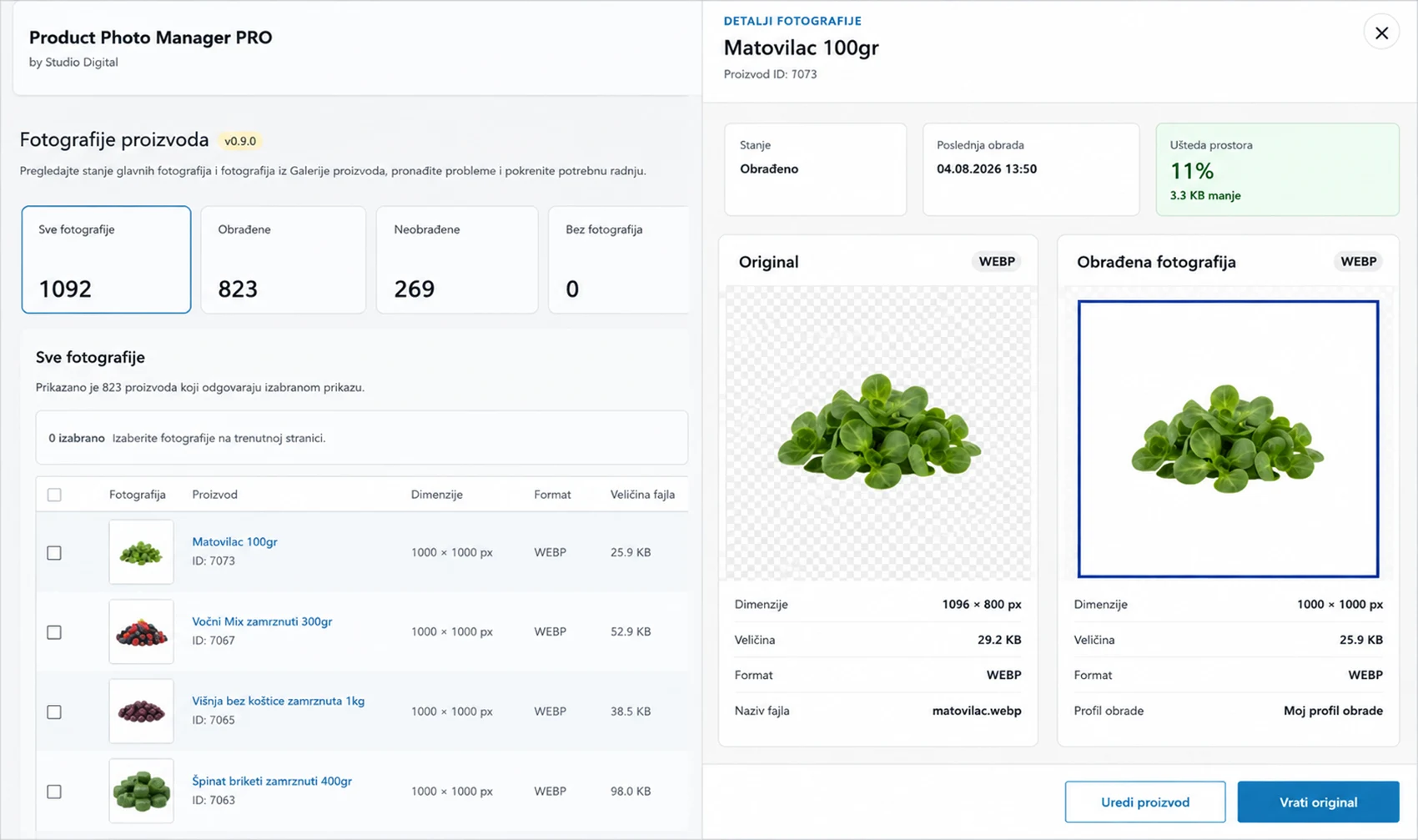
Scan your catalog, find products with missing or unsuitable images, and identify images that need changes to their file names, dimensions, format, compression, or background. Do it automatically!
Organize
Filter products and images by their status and prepare them for further processing.
Process
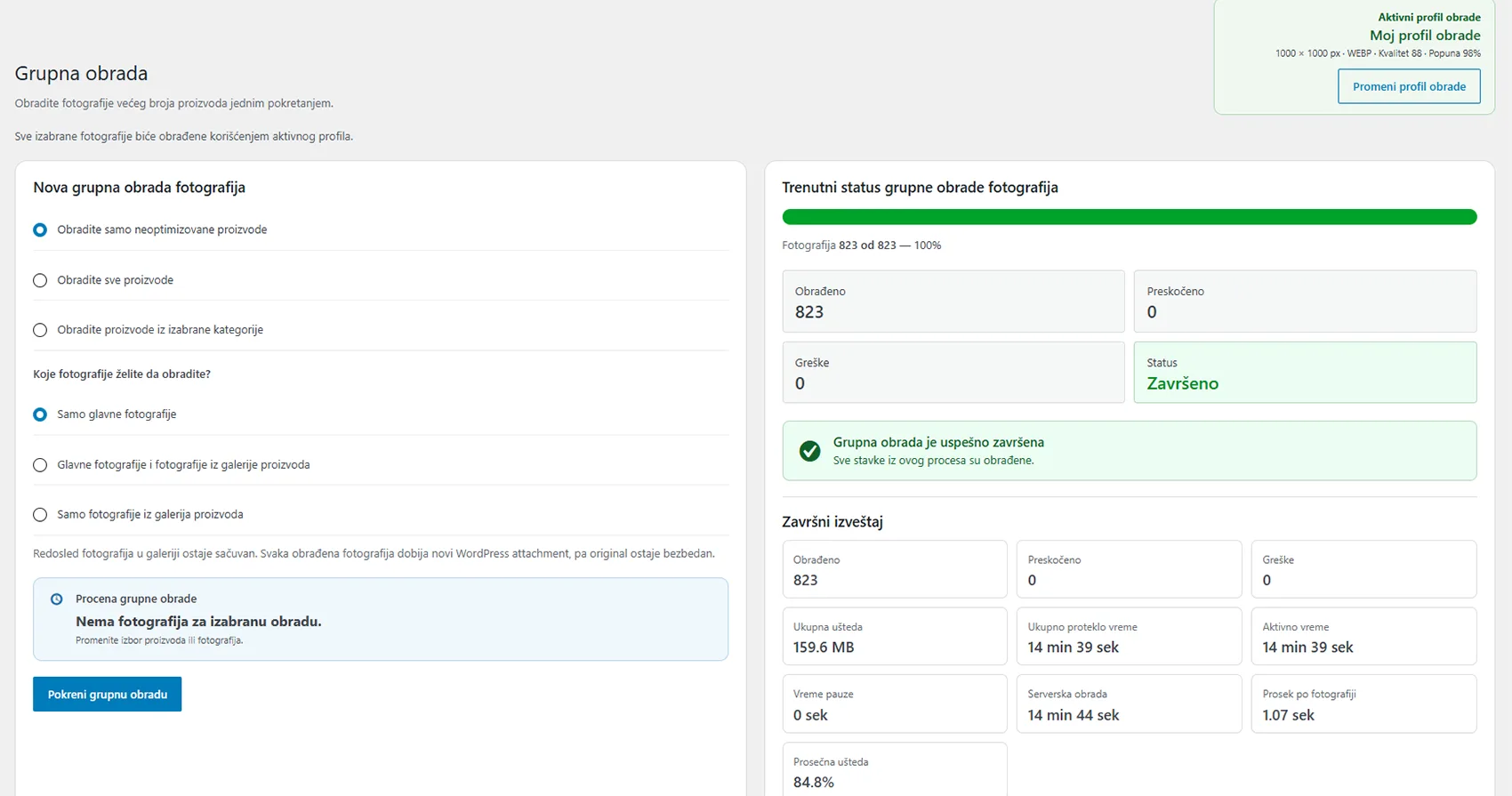
Run bulk operations on large numbers of products and track progress from a single interface.
Problems Product Photo Manager PRO Solves
Manually opening every product
Difficulty finding products with suitable images
Difficult-to-manage workflows when working with large numbers of products
Repeating the same operations
Wasting time checking products that have already been processed
Major time savings when processing product images
Professional Product Image Preparation Directly in WordPress - WITHOUT PHOTOSHOP
You no longer need Photoshop, additional graphics software, or advanced image-editing skills for high-quality, visually consistent product image preparation. Product Photo Manager PRO brings the most important image-processing operations together in one clear interface available directly from the WordPress dashboard.
Instead of downloading images to your computer, processing them manually in several different programs, and uploading them back to your website, you can complete the entire process where you already manage your products. This reduces the time needed to prepare your catalog, cuts down on manual steps, and helps you maintain a consistent look across your entire online store.
Benefits:
Bulk resizing and format conversion
File-size optimization while maintaining appropriate visual quality
Reduced hosting storage usage
Automatic renaming of processed images based on product names
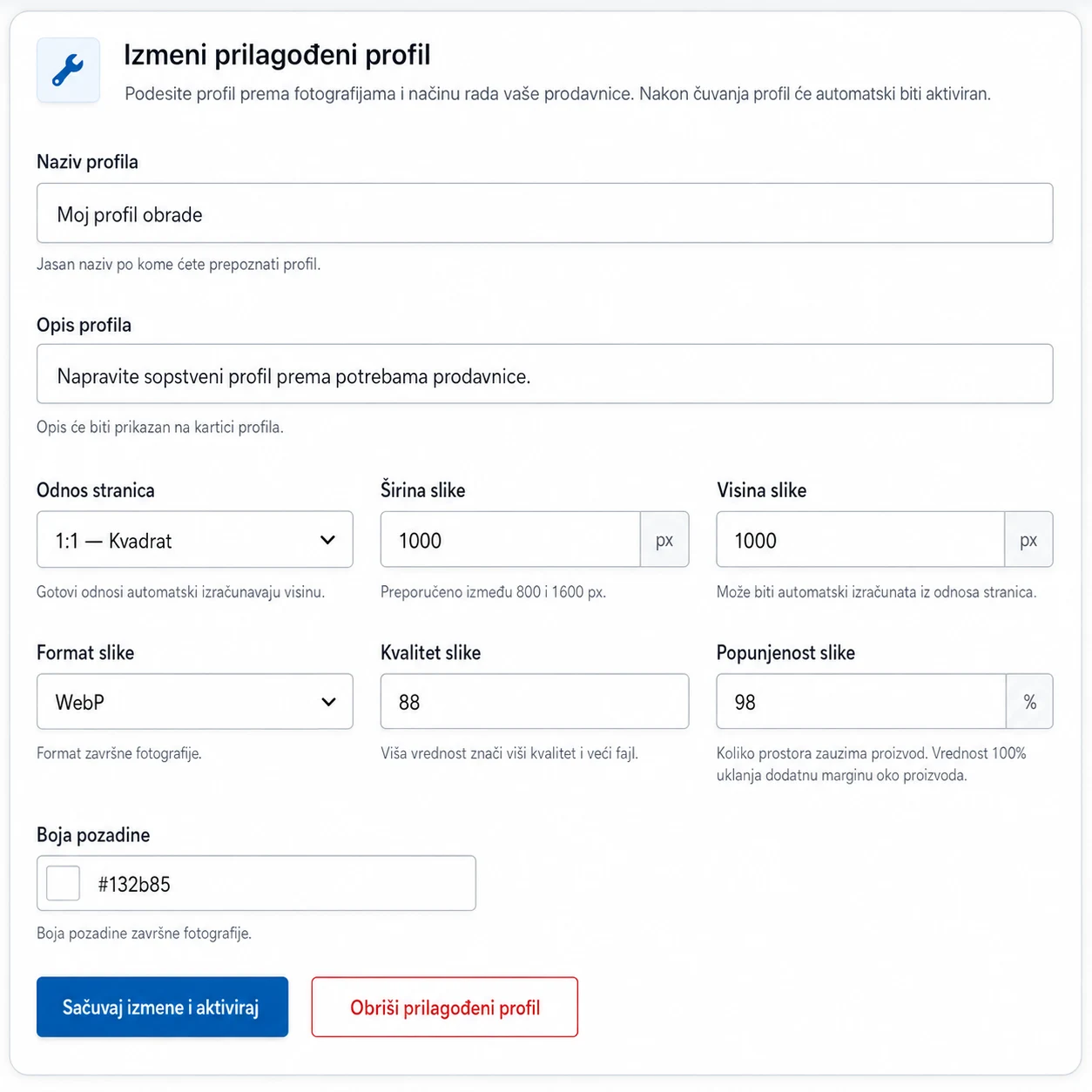
Adjusting Image Dimensions
Product images often come from different sources, which can result in inconsistent dimensions, proportions, and resolution. These differences can affect the appearance of your store, especially when products are displayed side by side in categories, search results, or featured product sections.
Product Photo Manager PRO lets you adjust image dimensions to match the design and structure of your online store. This creates a more consistent product display, better-aligned product cards, and a more professional-looking catalog.
Adjusting image dimensions is not only about visual consistency. Properly prepared images take up less space, display more efficiently across different devices, and avoid placing an unnecessary load on your pages with oversized files.
Changing Image Formats
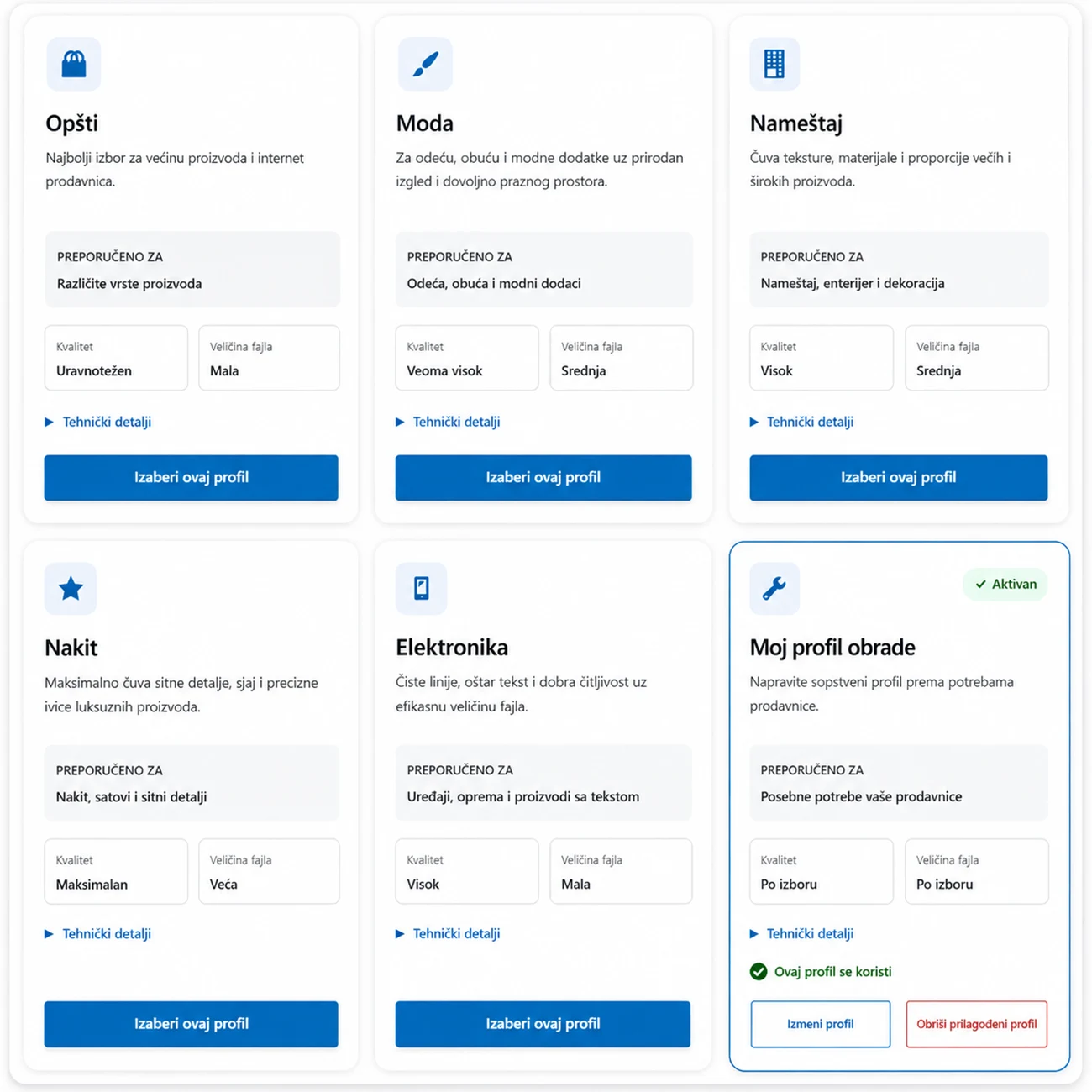
Different image formats (PNG, JPG, WebP, etc.) have different characteristics, and not every format is equally suitable for every purpose. Some are better suited to detailed photographs, others to images with transparent backgrounds, while modern formats can help reduce file size and improve page loading times.
Product Photo Manager PRO lets you adapt image formats to how they will be used in your store. This helps you find a better balance between visual quality, file size, and the technical requirements of your website.
Instead of converting each image individually in an external program such as Photoshop, you can make the required changes as part of the same processing workflow. This is particularly useful for stores with large numbers of products and images that were not originally prepared to the same standard.
Removing Existing Backgrounds
Product images often contain inconsistent, unwanted, or visually distracting backgrounds. These may come from different studios, supplier catalogs, or photo shoots that were not specifically prepared for online retail.
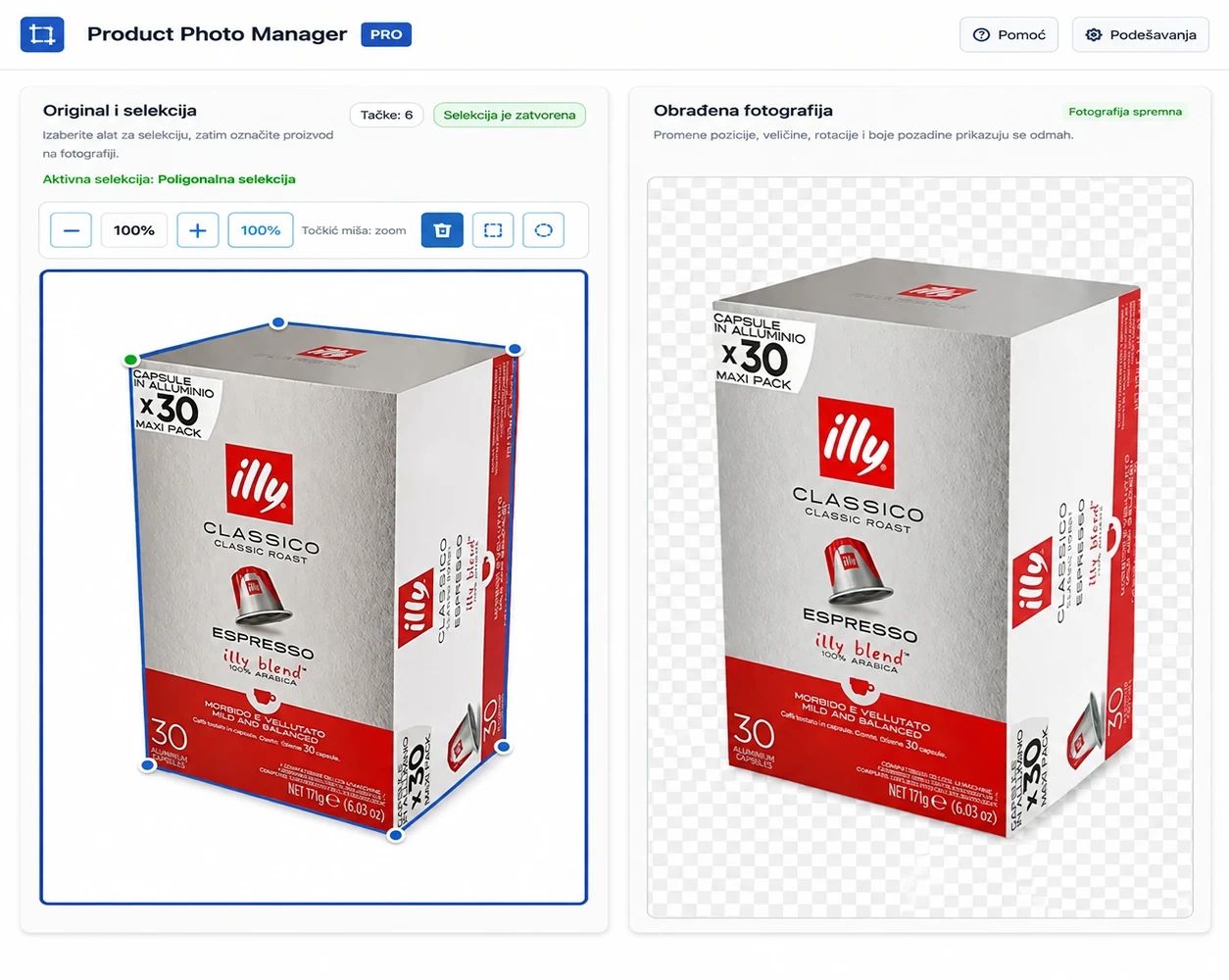
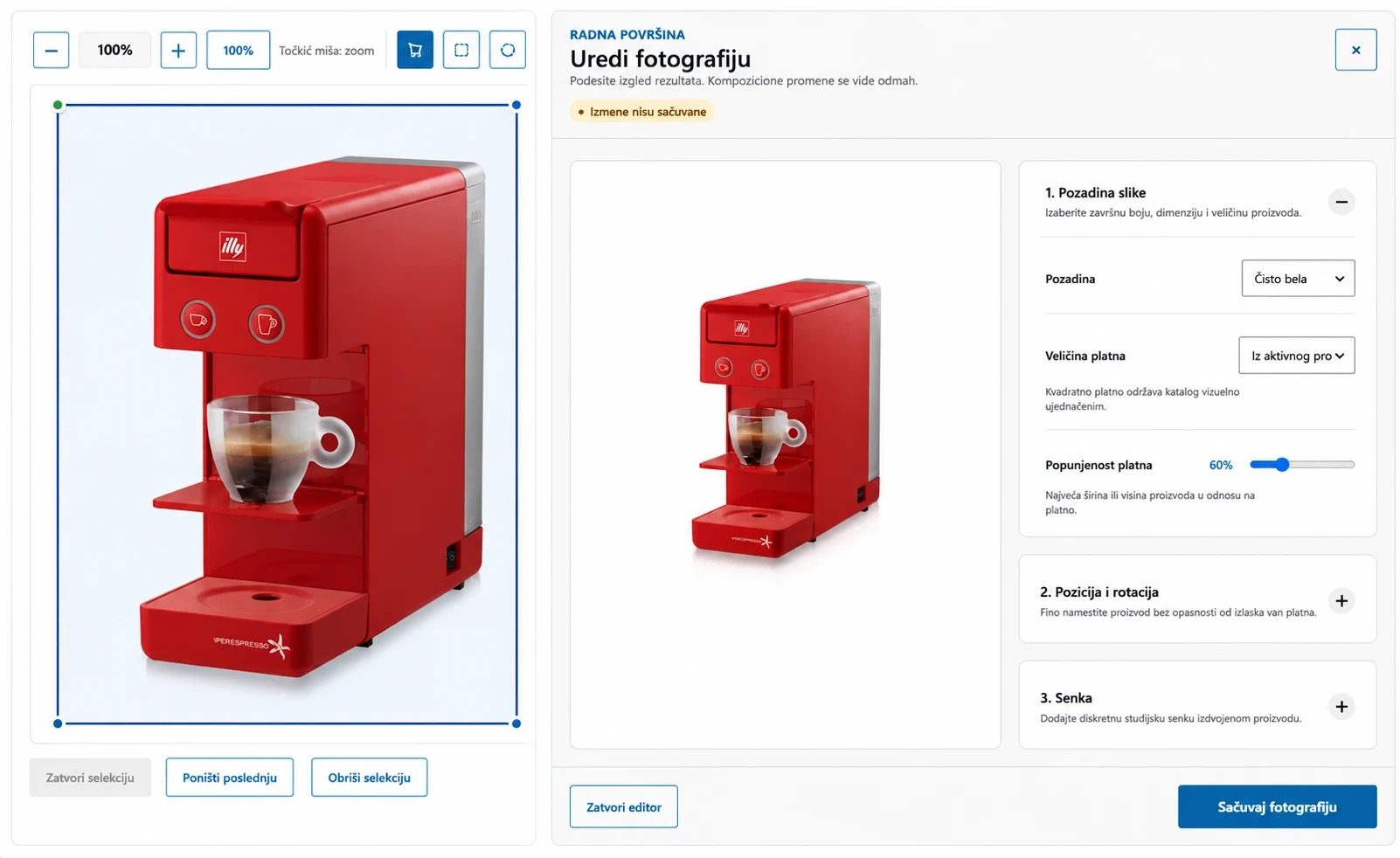
Product Photo Manager PRO lets you remove existing backgrounds so the main product is clearly separated from the rest of the image. This gives you a cleaner starting point for further processing and a more consistent product presentation.
Background removal is particularly useful when you want all products to appear against the same white, neutral, or branded background. This reduces visual differences between images and keeps the visitor’s attention on the product itself.
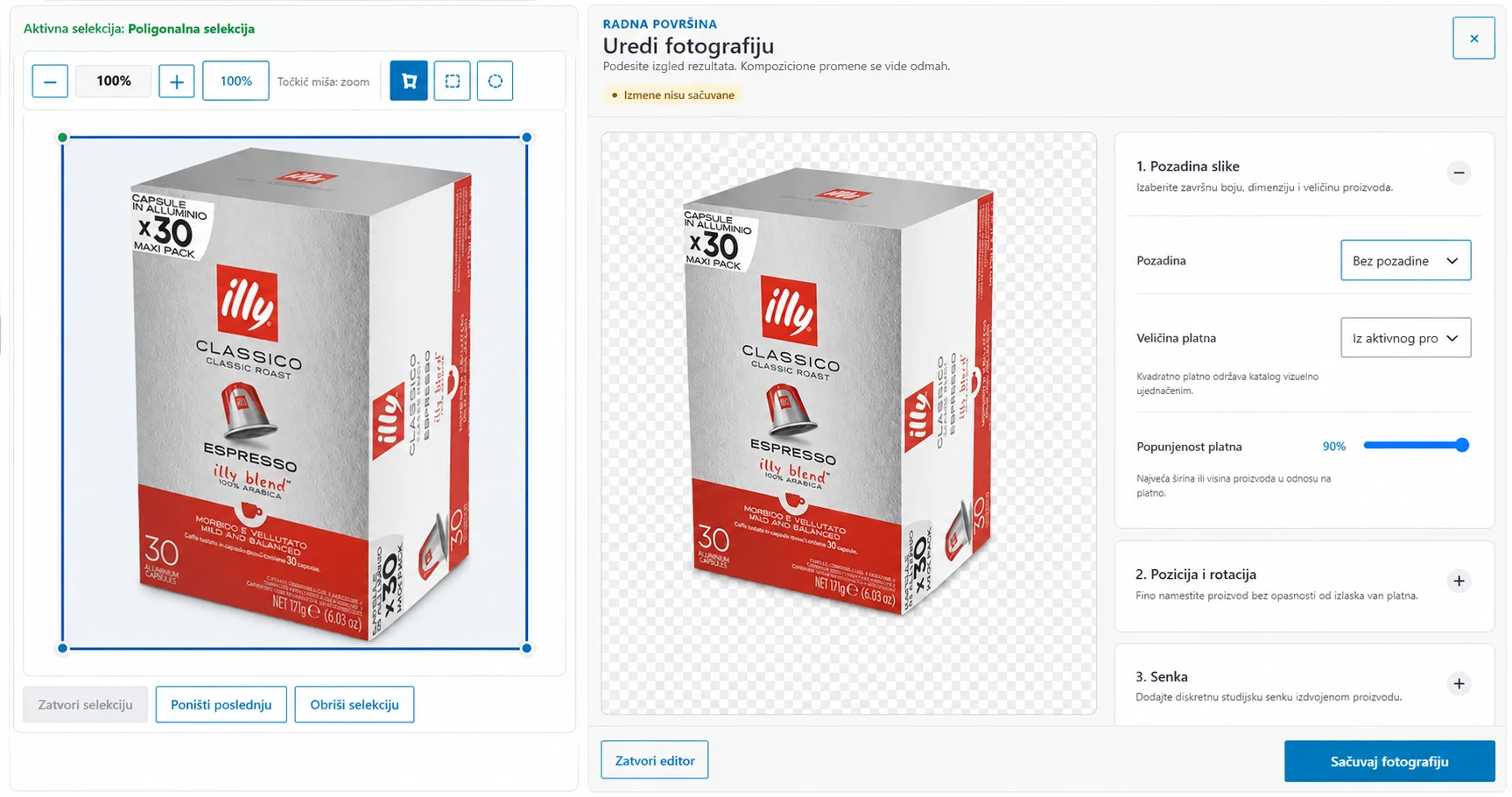
After removing the existing background, you can place the product on a new background that matches your store’s visual identity. The new background can be white, neutral, light, dark, or fully customized to match the visual identity of your online store.
A consistent background contributes to a more professional appearance across category and product pages. When all images follow the same visual standard, the catalog looks cleaner, more reliable, and easier to browse.
This feature also makes it easier to adapt images when your website design changes. Instead of photographing products again, existing images can be visually adjusted to match the new style of your online store — without having to prepare each image individually in an external graphics program.
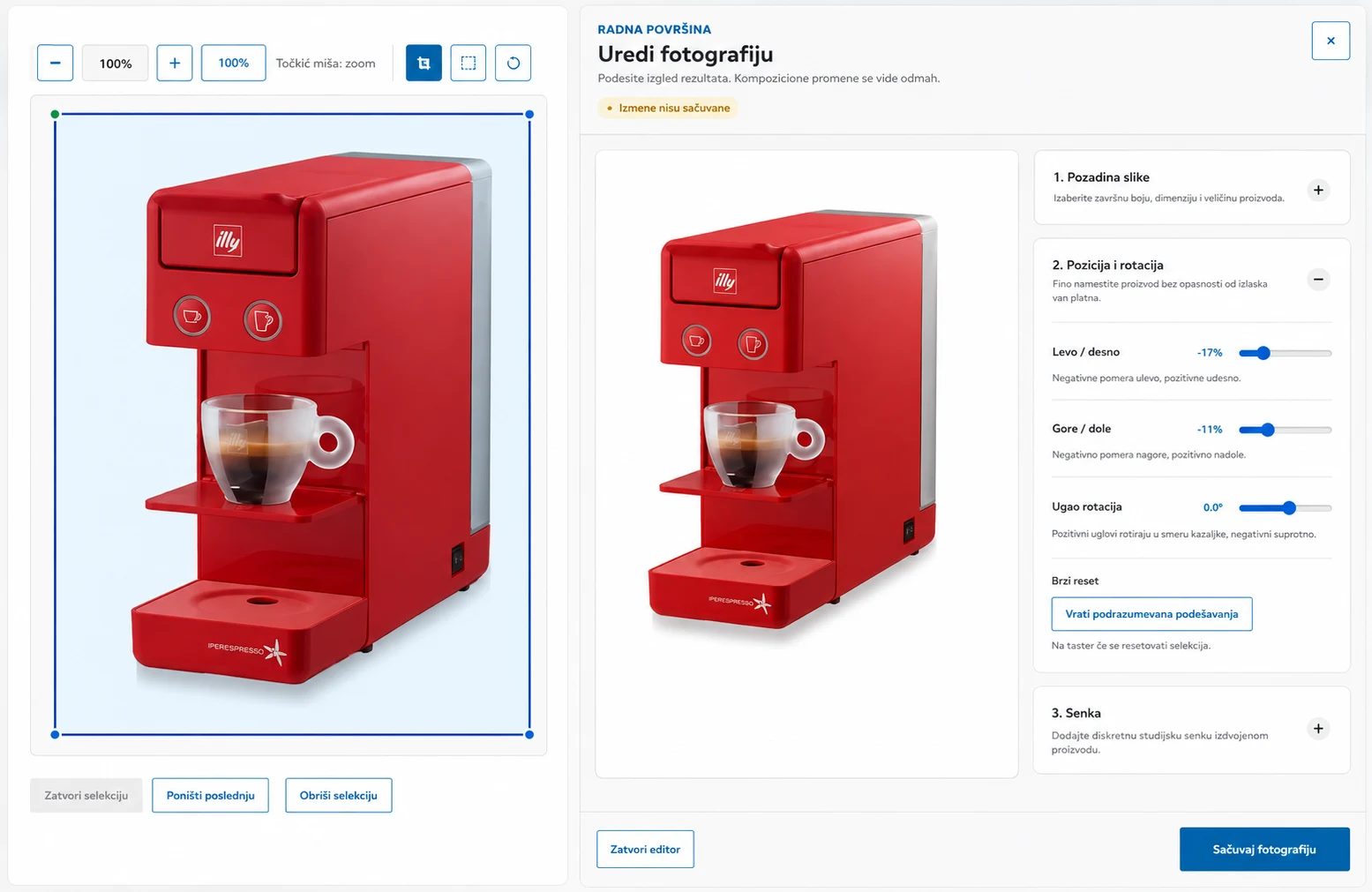
Adjusting Product Position Horizontally and Vertically
Even when images have the same dimensions, products within them may be positioned differently. Some may be shifted too far left or right, placed too high or too low, or not centered properly.
Product Photo Manager PRO lets you precisely position the product within the available image space. You can visually align the product so that it sits in the right position and looks consistent with the other products in your catalog.
Proper positioning is especially important in category views, where many product images appear on the screen at the same time. When products are positioned consistently, the entire product grid looks more organized and professional.
Adjusting Product Size Within the Image
Products can occupy very different proportions of the image area. One product may appear too small, while another may be enlarged so much that it sits too close to the edges or appears cropped.
Product Photo Manager PRO lets you adjust the product size within the final image format. The goal is to make the product large enough to be clearly visible while leaving an appropriate amount of space around it.
Consistent product sizing makes it easier for customers to browse the catalog and compare different products. Images look more balanced, and individual products no longer stand out because of inconsistent framing.
Adding Shadows, Brightening, and Darkening Products
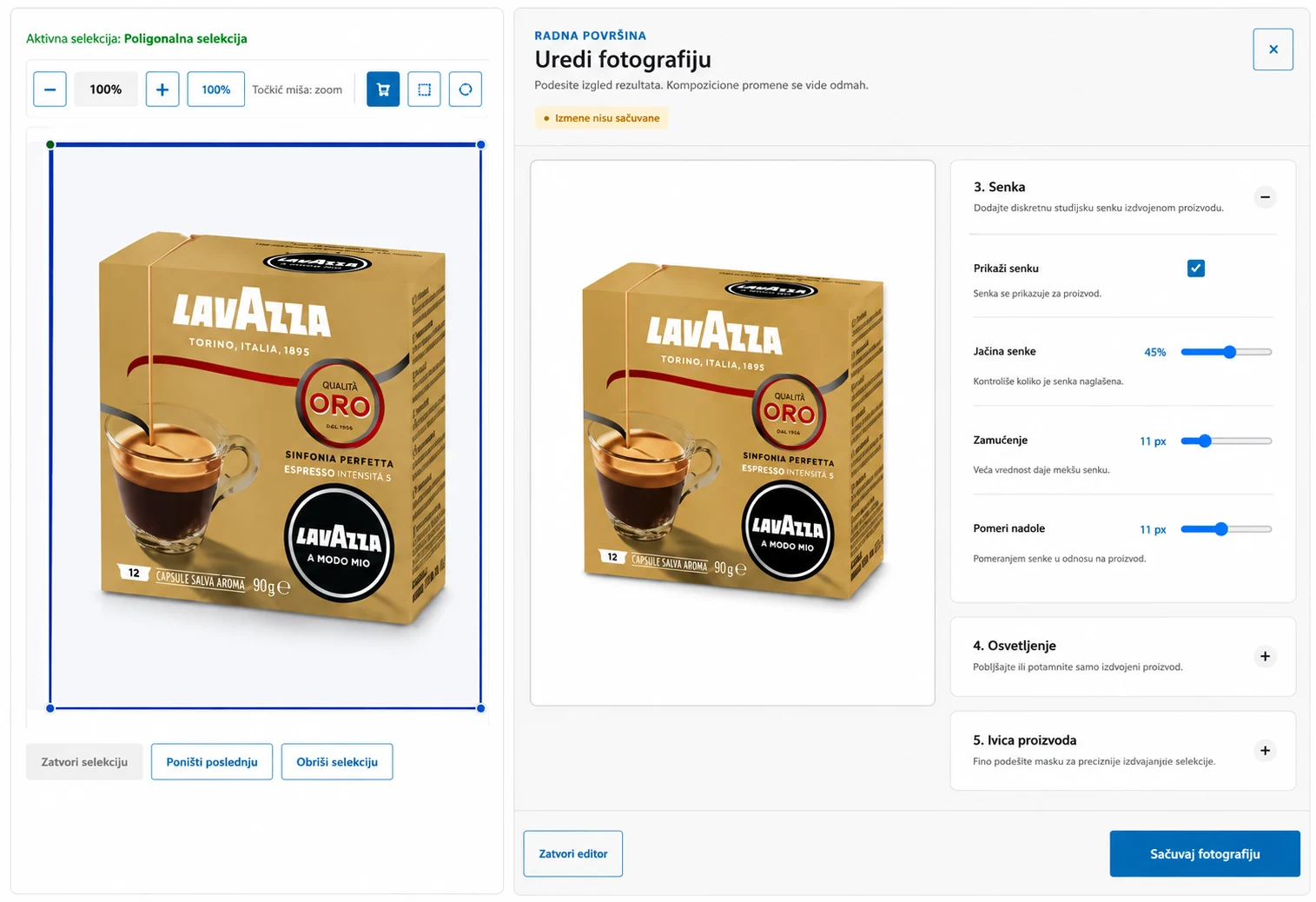
After removing the original background, a product can appear to float or look unnatural against the new background. Without a shadow, an image can look artificial, flat, or unfinished.
Adding a natural-looking shadow gives the product a greater sense of depth and a more grounded appearance. The shadow visually connects the product with the background and contributes to a more realistic, professional result.
A shadow should support the product rather than draw attention to itself. That is why it should be subtle, correctly positioned, and adapted to the shape of the product and the selected background. You can also brighten or darken each product as needed, depending on the original image.
Optimizing Images for Faster Loading
Large, unoptimized images can significantly slow down product and category pages. This is particularly noticeable in online stores that display a large number of products on a single page.
Product Photo Manager PRO lets you prepare images so they maintain appropriate visual quality without unnecessary file size. Optimized images can be delivered to the visitor’s browser faster and reduce the overall load on the page.
Faster loading contributes to a better user experience, especially on mobile devices and slower internet connections. Visitors can see products sooner, browse categories more easily, and are less likely to leave before the page has finished loading.
Start the Process and Get on With Other Work
Product scanning does not require you to remain on the same plugin screen. During the process, you can move to other pages in the WordPress dashboard, close the browser tab, and check the progress again later. The process continues until you manually pause or stop it.
Benefits for Everyday Work
A centralized overview of your catalog
Less need to open products individually
Faster identification of items that require attention
Bulk selection and processing
A clear view of processing progress
Reliable operation with large numbers of products
Everything within the familiar WordPress environment
Take Control of Your Product Images
Scan your catalog, find products that require attention, and perform the necessary operations from one clear WordPress interface.
Everything You Need for a More Professional Product Catalog
Product Photo Manager PRO brings catalog analysis, image organization, and bulk processing together in one WordPress interface. No manual image downloads, no repeating the same processes, and no switching between multiple programs.
Professional Product Image Preparation Directly in WordPress - Without Photoshop
All Your Image Optimization and Editing Tools in One Place